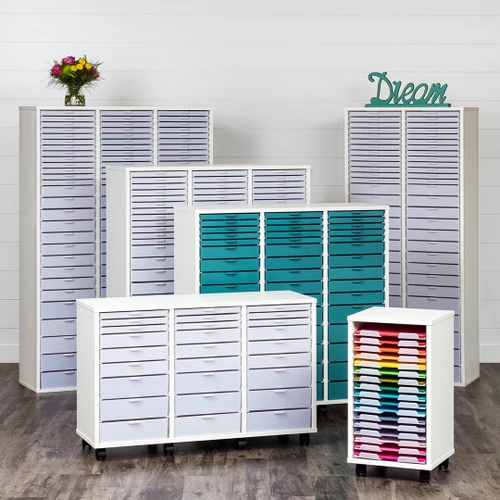
15% OFF Storage Cabinets & Craft Islands · Discount applied at checkout

Multi-Cutting Machine Cabinet

Best Craft Organizer

(No reviews yet) Write a Review
kr5933,46 - kr8544,30
Shipping:
Calculated at Checkout
Adding to cart… The item has been added

Product Overview

Manufactured in Hutchinson, MN

Two machines. One cabinet.

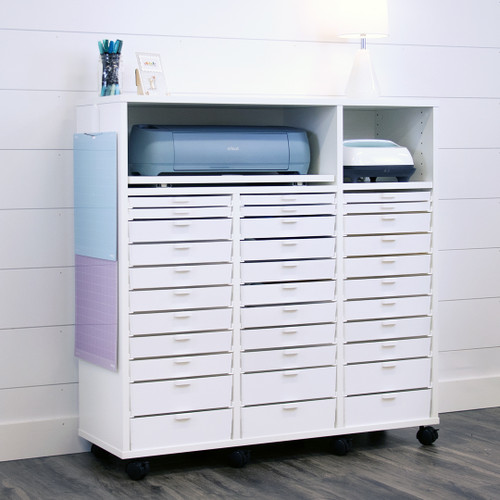
If one cutting machine was never really enough, the Multi-Cutting Machine Cabinet gives both of them a permanent home. Two slide-out shelves bring each machine forward when you're ready to create, then tuck them back inside when you're done — no lifting, no swapping, no clearing the table first. Double width, bar height, and your choice of casters, legs, or neither.

Designed for:
Cricut® Silhouette® Brother ScanNCut® Siser Juliet™ …and other cutting machines under 26" long and 7" tall

Both machines out. Or one, or neither.

Two Slide-Out Machine Shelves are what make this cabinet different. Run your Cricut and your Silhouette side by side without either one taking over your worksurface — pull the machine you need forward, extending it past the cabinet for full clearance, then push it back inside when you're finished. 12" mats roll perfectly through either shelf while cutting.

BCO Multi-Cutting Machine Cabinet with both slide-out shelves extended, showing two cutting machines pulled forward and ready to use
1 Slide out — pull either machine forward for full clearance to cut.
2 Slide back — when you're done, push it back inside and reclaim your surface.

Roll it, raise it, or leave it.

One width. One height. Three ways to put it on the floor. Pick the base that matches how you work — and keep an eye on finished height if this cabinet will sit beside your other BCO furniture.

With Casters
Roll it where you're working
Best for
  • Rooms that get rearranged — move it to the light or out of the way
  • Shared craft spaces where the station doesn't live in one spot
  • Finishing at 41¾", flush with Bar height cabinets
With Legs
Lifted, furniture-style look
Best for
  • A furniture-like look in a room that doubles as living space
  • Easy cleaning underneath without moving the cabinet
  • Finishing at 41¾", flush with Bar height cabinets
No Base
Sits directly on the floor
Best for
  • Standing on its own rather than beside other BCO cabinets
  • The lowest finished height of the three options, at 39¼"
  • A permanent spot against a wall or in a corner
Casters and legs both add 2½" to the height, bringing the cabinet to 41¾" — the same as a Bar height Storage Cabinet — so pick one of those if the Multi is going beside your existing BCO furniture and you want the worksurfaces flush, and choose no base only if it's standing on its own.

Start from scratch. Or start from ready.

Buy the cabinet on its own and configure every drawer and paper shelf yourself, or choose the Drawer Bundle and get a pre-configured mix of drawers plus the inserts to organize them.

Stand-Alone Cabinet
You configure the inside
What you get
  • The cabinet and both slide-out machine shelves
  • Empty columns — add drawers and paper shelves separately
  • Full control if you already know exactly what you store
With Drawer Bundle
Ready to organize on day one
Bundle includes
  • 1 Single drawer per column
  • 5 Double drawers per column
  • 1 Triple drawer per column
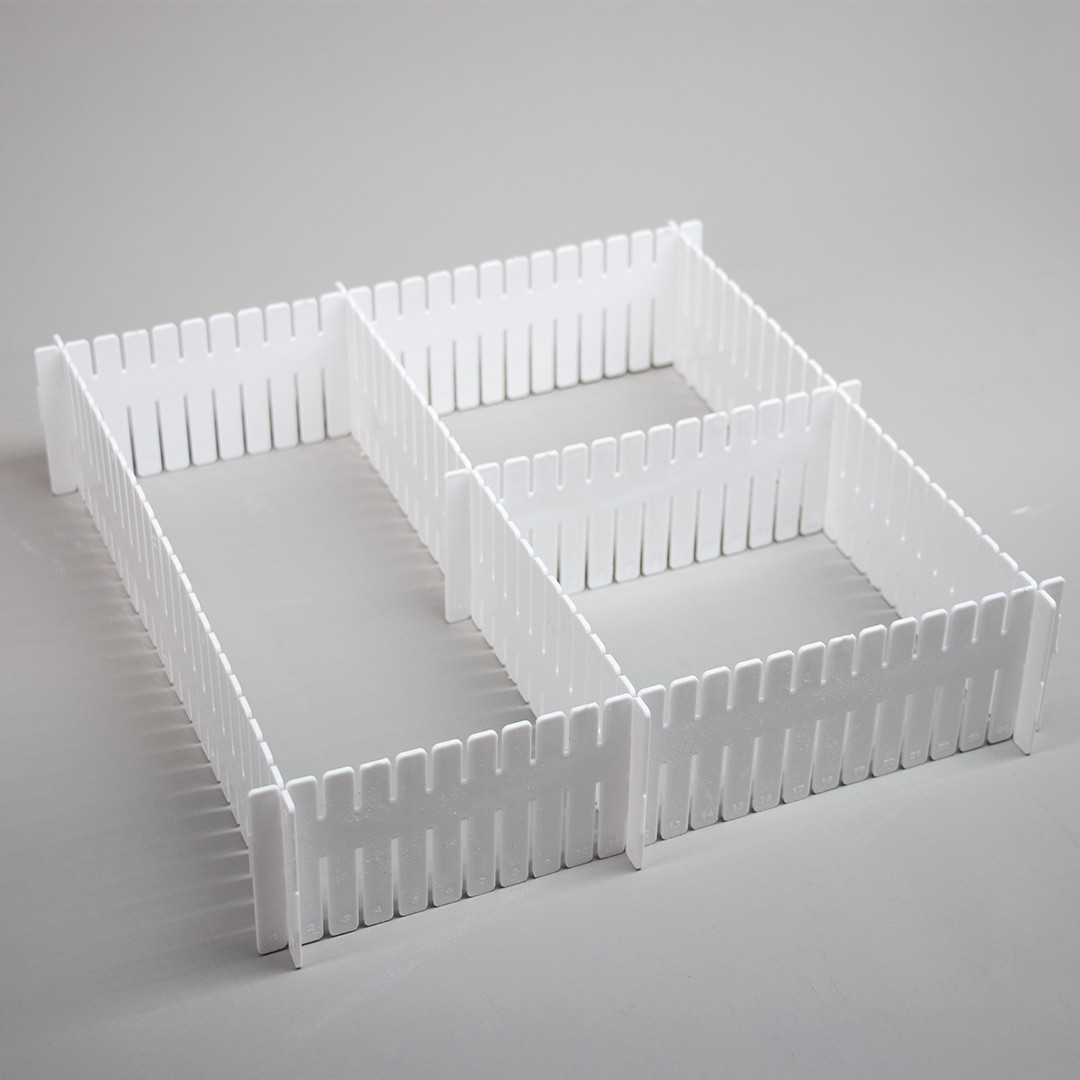
  • Drawer insertstrays, dividers, and cups to organize them

Choose the bundle, get everything to organize it.

The Drawer Bundle ships with a curated set of organizing accessories — drop-in trays, dividers, and cups that put your supplies in their place from day one.
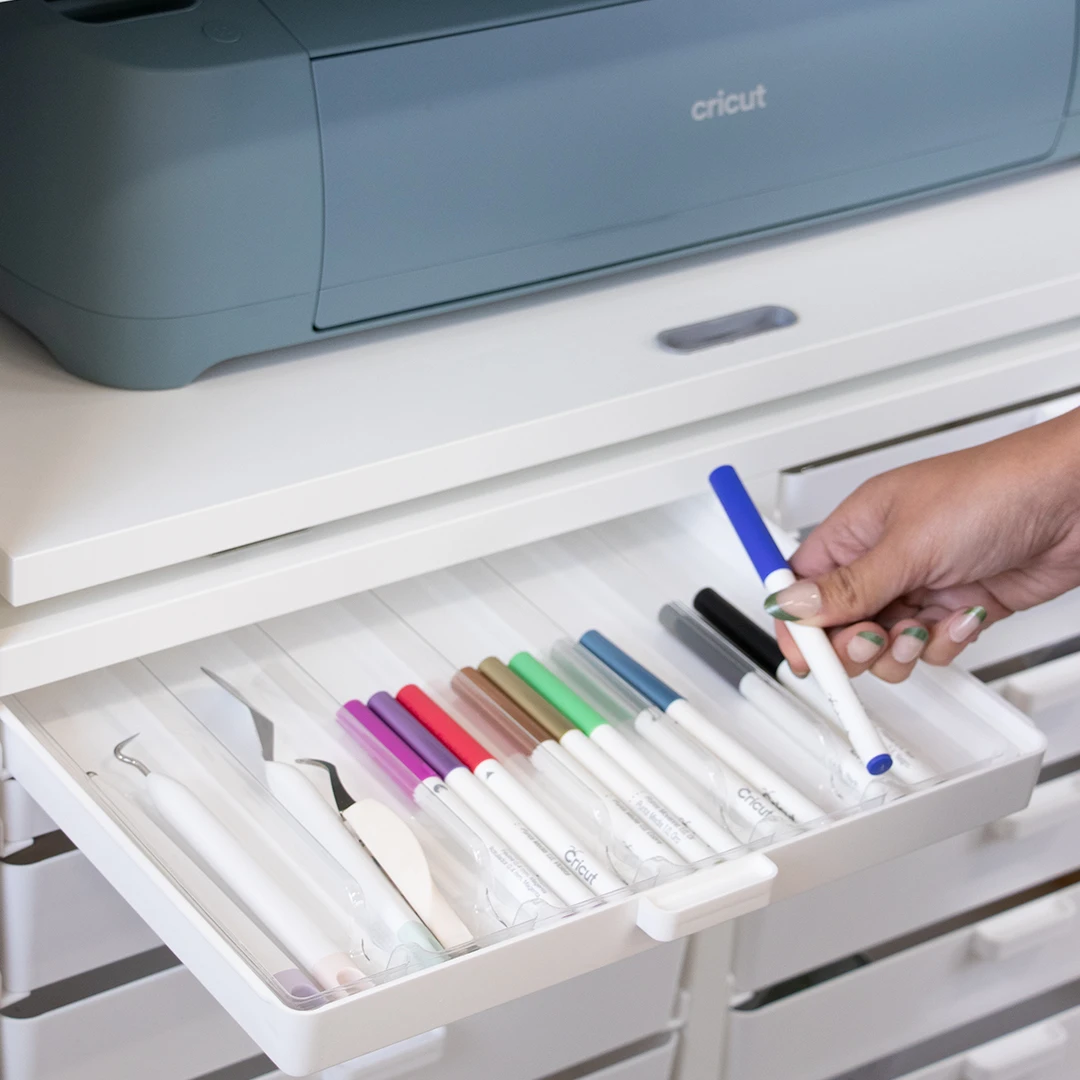
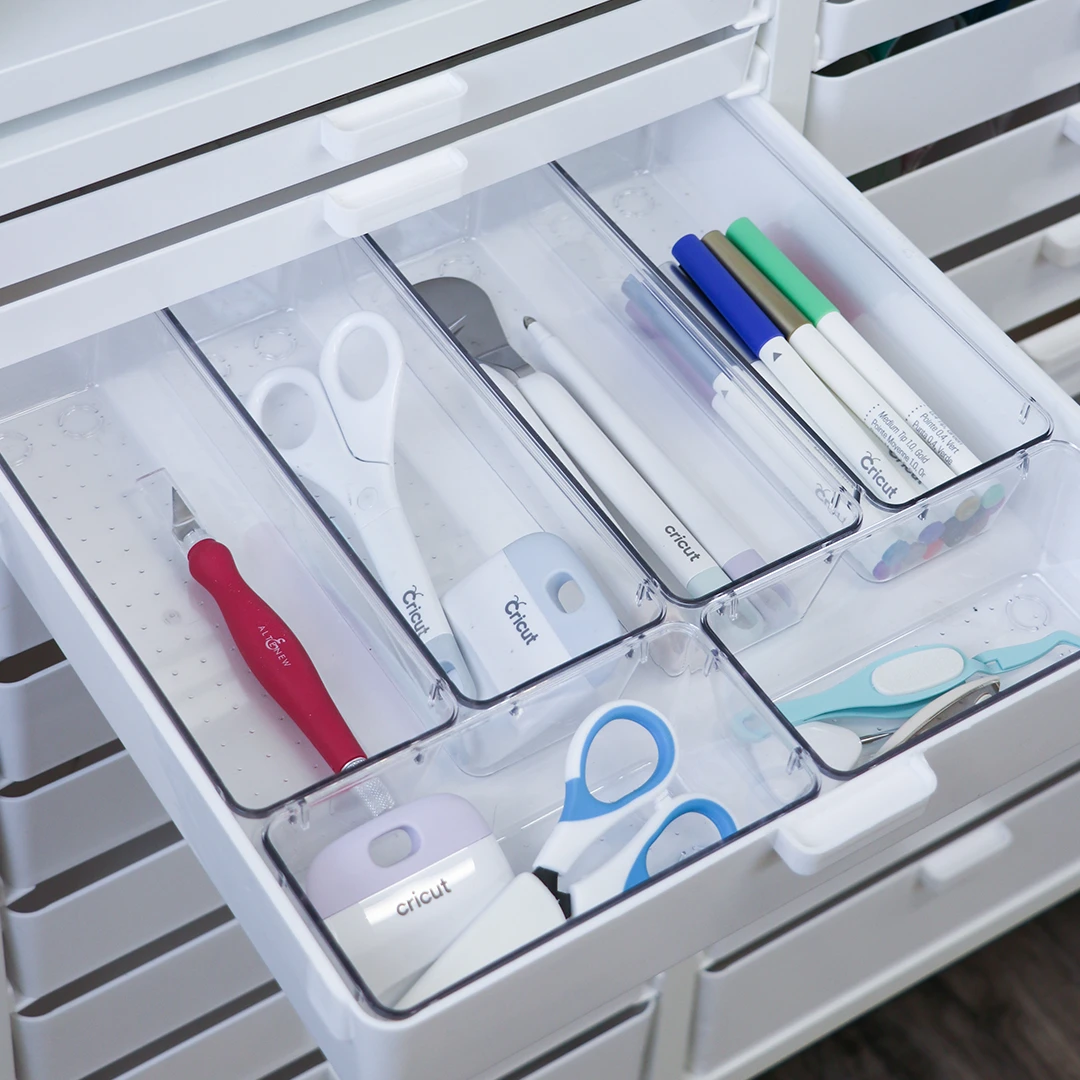
Tool Tray Accessory Tray inside a single BCO drawer
Tool Tray Accessory Tray
Fits inside a single drawer to organize Cricut tools, weeding tools, and other small accessories at a glance.
Slim Acrylic Drawer Cups Bundle inside a BCO drawer
Slim Acrylic Drawer Cups
A bundle of clear cups that nest inside a Double Drawer — perfect for pens, scissors, and tools you reach for constantly.
Two 9 Half Trays inside a BCO drawer
Two 9 Half Trays
A pair of half-width trays for sorting smaller tools, blades, and accessories within a single drawer.
6 standard vinyl rolls fitting inside a single BCO double drawer
Vinyl-roll math

Each double drawer holds 6 standard vinyl rolls.

If you dedicate one drawer to the Drawer Cups bundle and use every other double drawer for vinyl, here's what you can store:

Multi · Bar Height
54rolls

Build it your way.

Skipping the bundle? Don't forget to add inserts so your cabinet works as hard as your machines do. Mix and match drawers, paper shelves, and adjustable shelves to fit exactly what you store. Need a little help? Try our Cabinet Designer to plan the perfect setup.

Know your slot count.

Each column has a fixed number of slots. Drawers use 1, 2, or 3 slots depending on height — use this to plan how many of each insert you need.

Configuration
Column 1
Column 2
Double · Bar Height2 columns
14SLOTS
14SLOTS
Two machine compartments means fewer drawer slots, because both slide-out shelves sit over columns 1 and 2 — so the usable slot count runs lower than a standard Double Bar Storage Cabinet, and you'll want to plan your drawer mix against the numbers above rather than against a cabinet you already own.

Each drawer height has a job to do.

The bundle isn't just a random mix of drawers — each height was chosen for a specific category of cutting-machine supplies. Here's what fits where.

Single Drawer
1" tall · uses 1 slot
Perfect for Cricut tools, weeding tools, blades, pens, and small accessories.
Double Drawer
2-1/4" tall · uses 2 slots
A great height for most vinyl rolls, iron-on, transfer tape, and similar supplies.
Triple Drawer
3-3/8" tall · uses 3 slots
Ideal for larger supplies, extra materials, blanks, and even t-shirts for your heat press projects.

One small extra that earns its keep.

Every Multi-Cutting Machine Cabinet ships with a 3M Command™ Hook — a simple way to put the side of your cabinet to work.

3M Command Hook attached to the side of a BCO Cutting Machine Cabinet, holding a cutting mat
3M Commandâ„¢ Hook
Perfect for hanging cutting mats on the side of your cabinet — keeping them flat, accessible, and out of your work area.
Plan your layout first — if you'll be placing this cabinet next to another BCO Storage Cabinet, wait to attach the Command Hook until your layout is finalized.

Connects to your existing BCO furniture.

Add casters or legs and the cabinet finishes at Bar height — so the worksurface lines up flush with your Bar height Storage Cabinets, extending into one continuous countertop. Without a base it sits 2½" lower, which is the right choice if the Multi is standing on its own as a two-machine cutting station.

Built like real craft furniture.

Same construction quality as our Storage Cabinets — high-quality worksurface and 3/4" thermofused melamine cabinet body.

Width Double
Height Bar
Base options Casters, legs, or none
Slide-out machine shelves 2 · included
Purchase options Stand-alone or Drawer Bundle
Bundle includes Drawers + drawer inserts
Included with cabinet 3M Commandâ„¢ Hook
Color White
Made in Hutchinson, MN

Will it fit your space?

Every configuration is 27¾" wide and 14⅜" deep. The base you choose is what changes the height.
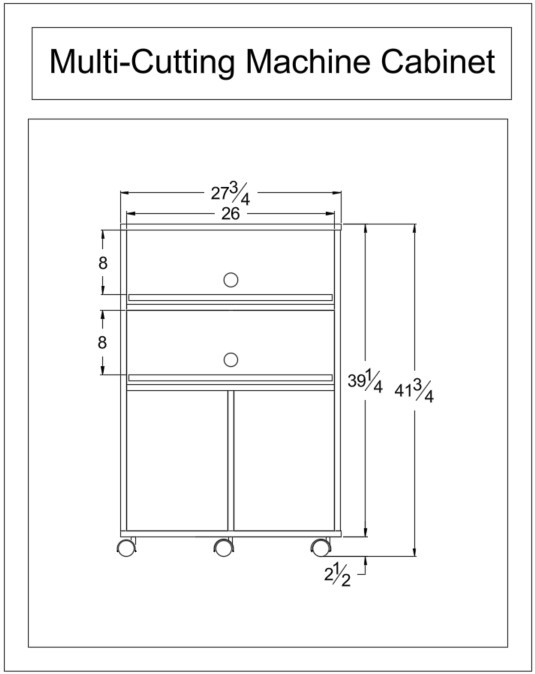
Dimensioned drawing of the BCO Multi-Cutting Machine Cabinet: 27¾ inches wide and 39¼ inches tall without a base, 41¾ inches tall with casters or legs, with two 26 by 8 inch cutting machine compartments
Base option
Width
Height
With Casters
27¾"
41¾"
With Legs
27¾"
41¾"
No Base
27¾"
39¼"
All configurations: 14â…œ" deep · Machine compartments 26" w × 8" h each · Casters and legs add 2½" to the height

Common questions.

Does the Multi-Cutting Machine Cabinet require assembly?
Yes, assembly is required. Your cabinet will arrive ready to be assembled, and any drawers, shelves, or inserts you choose will need to be installed as part of your setup.

We recommend reviewing the instructions before you begin and planning your drawer layout ahead of time. If you choose the Drawer Bundle, your drawer and accessory mix has already been selected to help make setup easier. Once assembled, you'll have a two-machine cutting station that's ready to work beautifully with the rest of your craft furniture.
Can I use two different brands of cutting machine?
Yes. Each compartment is sized by dimension, not by brand — any machine that fits will work. A Cricut in one shelf and a Silhouette or ScanNCut in the other is one of the most common setups. Measure your machines' footprints and heights against the compartment specs before you order.
Do I have to use both compartments for machines?
Not at all. Plenty of crafters use the second shelf for a heat press, an embossing machine, or simply as a pull-out staging surface for projects in progress. Anything that fits within the compartment dimensions and slides smoothly will work.
Should I choose casters, legs, or no base?
Casters if the cabinet needs to move — to the light, to the table, or out of the way for cleaning. Legs if you want a lifted, furniture-like look with clearance underneath. Either one brings the cabinet to 41¾", matching a Bar height Storage Cabinet, so the worksurfaces line up flush if it's sitting beside your existing BCO furniture. Choose no base only if the Multi is standing on its own — it sits 2½" lower at 39¼".
Should I pick the Drawer Bundle or configure it myself?
The Drawer Bundle is designed for typical cutting-machine workflows — the drawer mix is purpose-built for tools, vinyl, and heat-press supplies, and it ships with the inserts to organize them. If your supply collection looks like that, the bundle is the easiest path. If you store paper, larger items, or have a non-standard supply mix, buy the stand-alone cabinet and pick exactly the inserts you need.
How is this different from the regular Cutting Machine Cabinet?
The Cutting Machine Cabinet holds one machine and comes in two widths and two heights. The Multi holds two machines in one cabinet — Double width, Bar height — with your choice of casters, legs, or no base. If you only have one machine and no plans for a second, the standard cabinet is the better buy.
What if I already own a Cutting Machine Cabinet?
If it's a Double, look at the Cutting Machine Add-On instead — it connects to the top of the cabinet you already have and gives your second machine a slide-out home, without buying a whole new piece of furniture.
What's the best way to install my drawers?
Start from the bottom up. The bottom drawer in each column sits directly on the cabinet floor — no rails needed for that one. Stack each subsequent drawer above it as you go up the column. Working bottom-up keeps everything aligned and makes installation much easier than trying to drop drawers in from the top.
Can I add more drawers later?
Yes. The cabinet uses the same modular slot system as our Storage Cabinets, so you can add or swap drawers, paper shelves, and adjustable shelves anytime. Mix sizes within a column, change the layout as your supplies change — the cabinet stays flexible.
Will it match my existing BCO Storage Cabinets?
The construction, finish, and modular system all match, so it sits alongside your existing cabinets with no color or quality difference. For the worksurfaces to line up flush, you'll want Bar height Storage Cabinets and a base option that keeps the finished heights equal — casters and legs both raise the cabinet.
Can I use it as a stand-alone cutting station?
Absolutely. The Multi-Cutting Machine Cabinet is fully functional on its own — two slide-out shelves, storage, and a full worksurface on top. It's ideal as a focused cutting station against a wall or in a corner, even if you don't have other BCO furniture. You can always add Storage Cabinets later if you decide to expand.

Not sure how it fits your craft room?

Use our free room planner to drop the Multi-Cutting Machine Cabinet (and any other BCO furniture) into your space — to scale, before you buy. No account needed.

Reviews

(No reviews yet) Write a Review